Your AI assistant finally knows how you work
Answer questions about your workday for 15 minutes. Get a knowledge base your AI agents can actually use.
Works in Chrome or Edge
Chrome or Edge for folder access · Works with Claude, Cursor, Codex, Gemini, VS Code and any MCP-capable agent · Nothing leaves your computer
Most people have the tool and don’t get the result
- 85%
- of employees have access to AI tools.
- 25%
- use them regularly, pasting the same background into every prompt and getting generic answers back.
- 1 in 3
- can say what good use of AI looks like in their own job.
Industry figures, 2026.
How it works
-
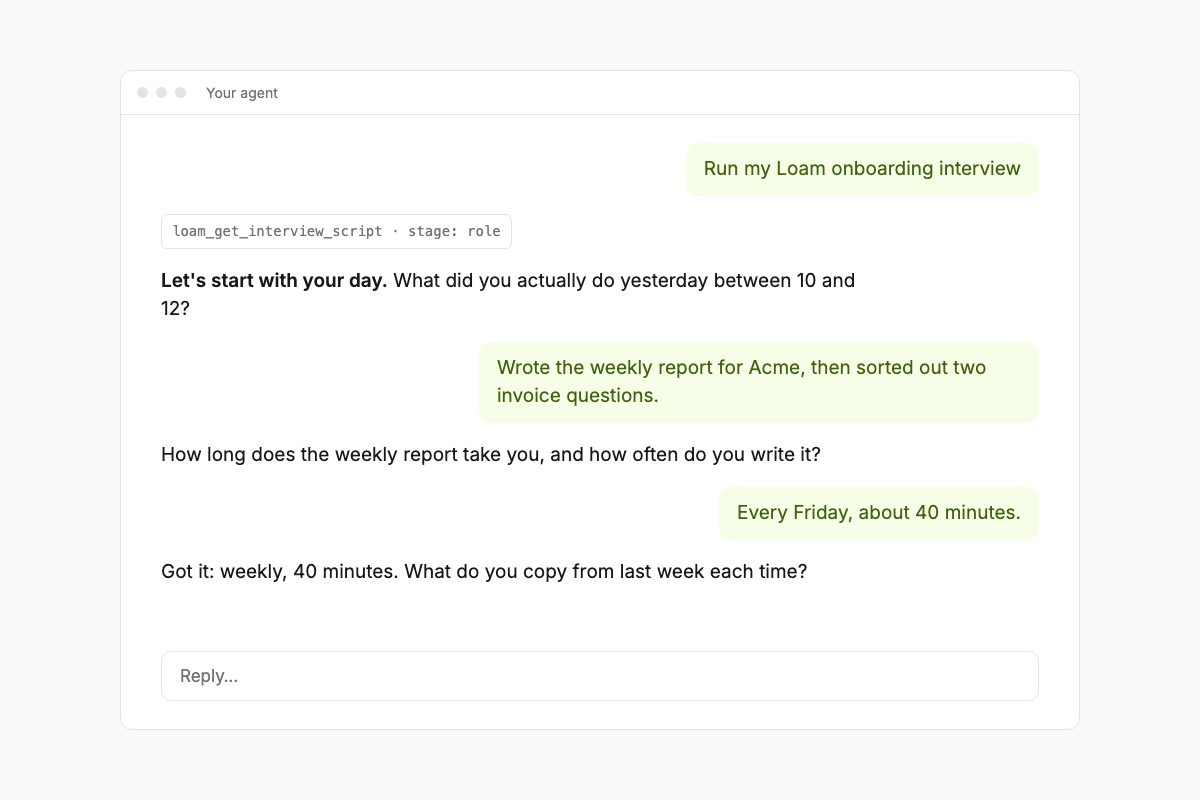
1. Answer an interview
Your own AI agent asks about your day, one question at a time, for about 15 minutes.
-
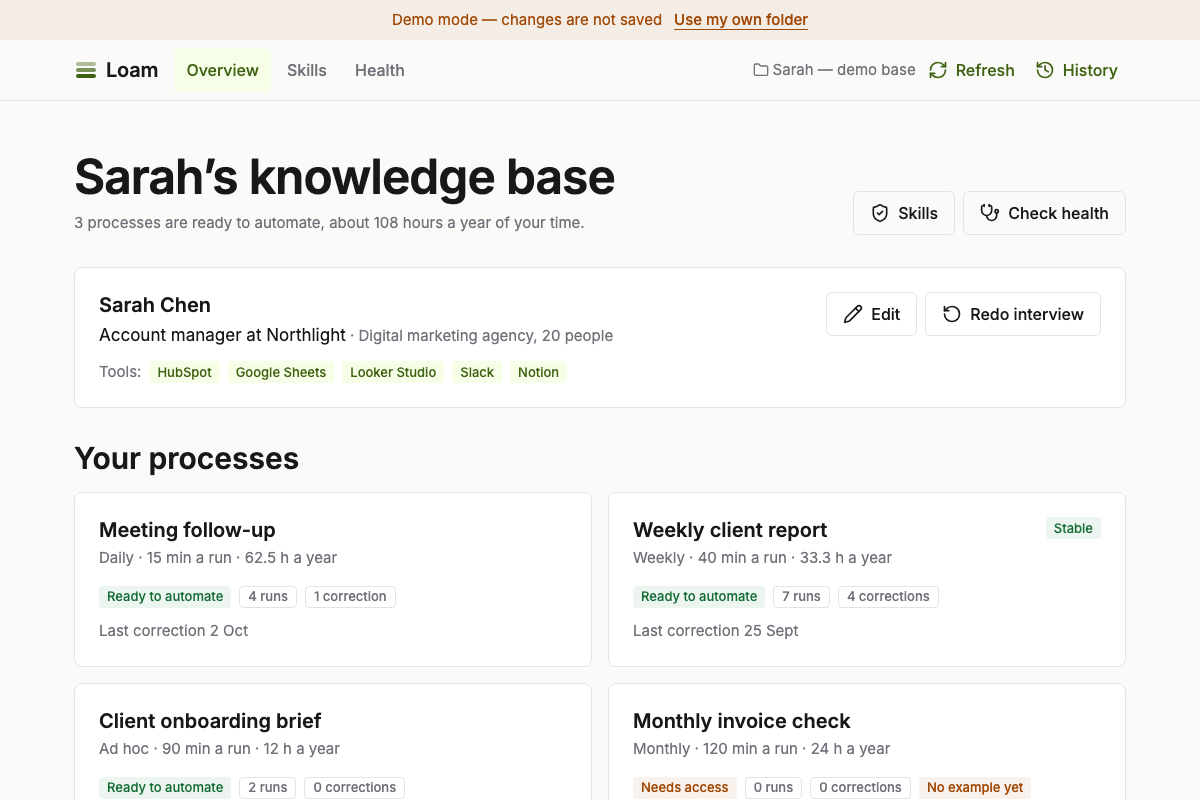
2. See what to automate
Your recurring work is mapped, with the hours it takes per year and what is worth handing over first.
-
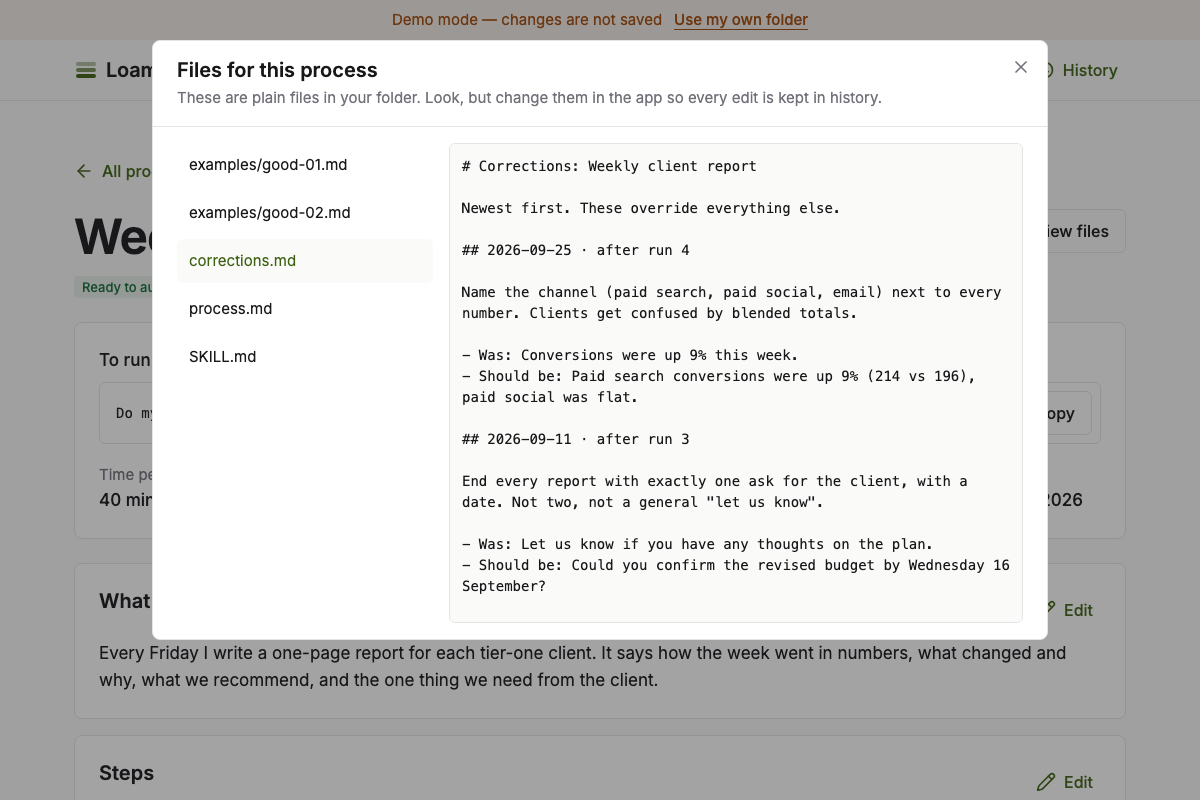
3. Get files you own
Everything lands in a folder on your disk, with your examples and corrections kept next to each process.
-
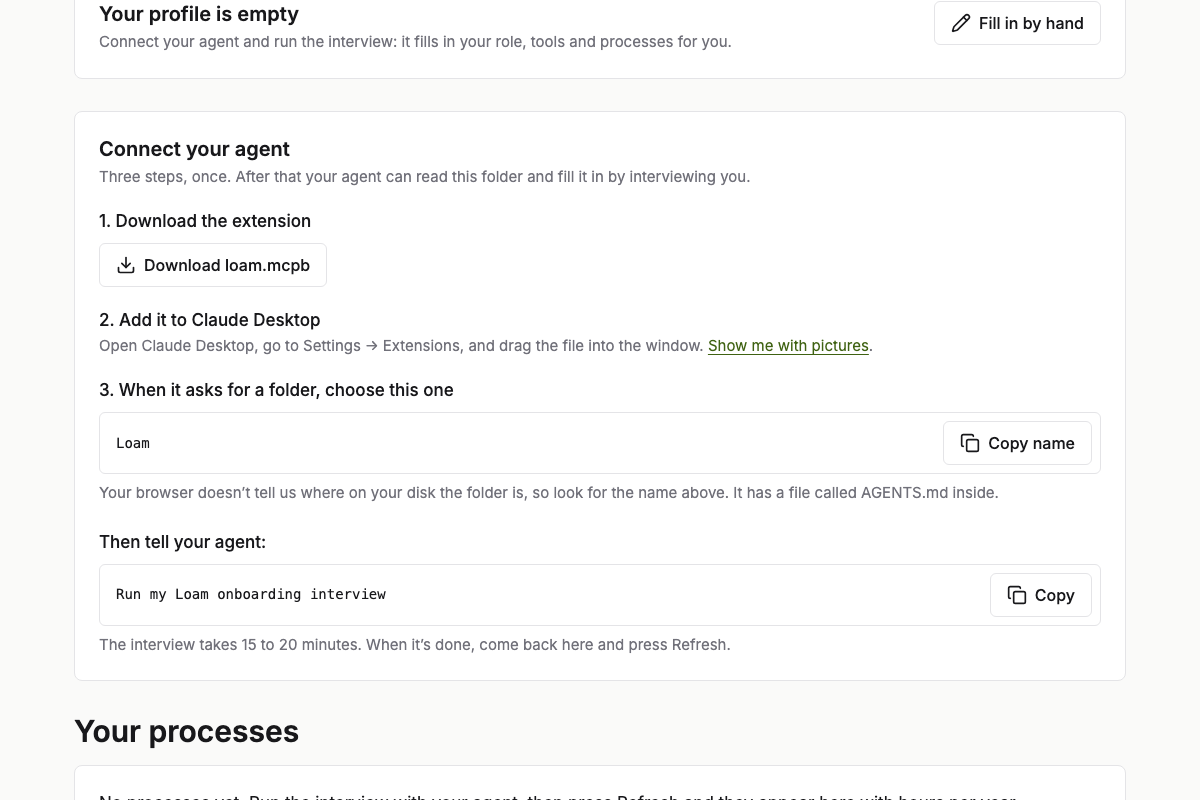
4. Connect your agent
One click for Claude Desktop, one command for Cursor, Codex, VS Code or Gemini. Then ask for your weekly report in a single sentence.
A fictional example, built from the sample knowledge base you can open yourself
Meet Sarah, an account manager
Sarah looks after six client accounts at Northlight, a 20-person marketing agency. She answered Loam's interview once, in about 15 minutes. Everything below comes from the files that interview created, and every number is real: open her knowledge base to check.
Her tools: HubSpot, Google Sheets, Looker Studio, Slack, Notion.
1. The interview found five recurring processes
| Process | Hours a year | How often | Can it be automated? |
|---|---|---|---|
| Meeting follow-up | 62.5 | Daily, 15 min | Ready to automate |
| Weekly client report | 33.3 | Weekly, 40 min | Ready to automateStable |
| Client onboarding brief | 12 | Ad hoc, 90 min | Ready to automate |
| Monthly invoice check | 24 | Monthly, 120 min | Needs access |
| Contract negotiation | 18 | Ad hoc, 180 min | Manual only |
3 of 5 are ready to automate: about 108 hours a year of Sarah's time. Loam is straight about the rest: “Monthly invoice check” is waiting for access to a system, and “Contract negotiation” is a live negotiation and stays manual.
2. Her weekly report got better with every correction
Sarah asked her agent for the weekly client report 7 times. After each run she told it what to change, and each correction became a rule the agent reads first next time:
-
14 Aug · after run 1 · correction 1
Put the traffic and conversion numbers in the first paragraph, before any commentary.
Was: Overall it was a positive week for the account, with several highlights worth noting.
Should be: Sessions 18,420 (+12%), conversions 214 (+9%). The rise came from paid search. -
28 Aug · after run 2 · correction 2
Never use exclamation marks, and never write "unfortunately". State what happened instead.
Was: Unfortunately the email campaign underperformed!
Should be: The email campaign opened at 18% against a target of 24%. -
11 Sept · after run 3 · correction 3
End every report with exactly one ask for the client, with a date. Not two, not a general "let us know".
Was: Let us know if you have any thoughts on the plan.
Should be: Could you confirm the revised budget by Wednesday 16 September? -
25 Sept · after run 4 · correction 4
Name the channel (paid search, paid social, email) next to every number. Clients get confused by blended totals.
Was: Conversions were up 9% this week.
Should be: Paid search conversions were up 9% (214 vs 196), paid social was flat.
Since then, 3 runs in a row needed no change, so Loam marks the process stable. She never edited a file by hand.
3. Her skills, and a safety check on every one that comes from outside
-
client-bad-news-email
Draft an email telling a client about a delay or a problem - the fact, the reason without excuses, what we do, when the…
StarterRead only
-
competitor-snapshot
Build a one-page snapshot of a competitor from the notes and links the user pastes in
ImportedScan warningReviewed: safe
-
meeting-summary
Turn raw meeting notes into a structured summary with decisions, owners, deadlines and open questions
StarterRead only
-
weekly-status-report
Write a weekly status report - done, in progress, risks and what is needed from the reader
StarterRead only
“competitor-snapshot” came from outside, so Loam scanned it, flagged that it is long, and stored it as read-only, like every imported skill. Her own agent then reviewed it and called it safe: a note for her, which never changes what the skill may do. Another one, “inbox-cleaner”, was refused: it told the agent to delete files. There is no “add anyway”.
4. A tidier base means less for her agent to read
A typical task reads 5,651 tokens in this deliberately messy sample. After the clean-up Loam suggests, it reads 2,218: 61% less.
What you get
-
A folder that is yours
Plain files on your computer. Read them, back them up, move them. No account, no lock-in.
-
Works with the agent you already use
Claude, Cursor, Codex, VS Code (Copilot), Gemini CLI, Windsurf and any agent that can run a local MCP server. Your skills are copied where each of them looks. See the setup for each. Only have a chat in a browser, such as ChatGPT or Gemini? Copy for any chat turns a process into text you paste there.
-
61% less context per task
Less to read means faster, cheaper and more accurate answers. In our sample knowledge base, clean-up cuts a typical task from 5,651 to 2,218 tokens.
Private by design, safe by default
Your data never leaves your computer. There is no server, no account and no sign-up: the app is a web page that reads and writes the folder you choose, and nothing else. The code is open, so you can check that.
Skills from other people are checked before they are added. Anything that deletes files, uses the internet, sends your data out, asks for passwords or tries to change how your AI behaves is refused, with no way to override it. Imported instructions can never write to your folder and can never reach the network.
Look around first
The example is a filled-in knowledge base for an account manager. It works in any browser, and nothing you change is saved.
See a filled example